Site Pulse adds a small panel to the Cisco Meraki dashboard and Ericsson NetCloud. Open any site or router by name, copy its health into a ticket in one click, and check 100 sites at once.
Works in Chrome, Edge and Brave. Read-only. Nothing leaves your browser.
Both are free and built the same way: a panel inside the dashboard you already use, working through the login you already have.
Built by a network tech who works in these dashboards every day, to cut out the clicking between a ticket and an answer.
Type a name, store number or serial and press Go. Partial matches show a list to pick from.
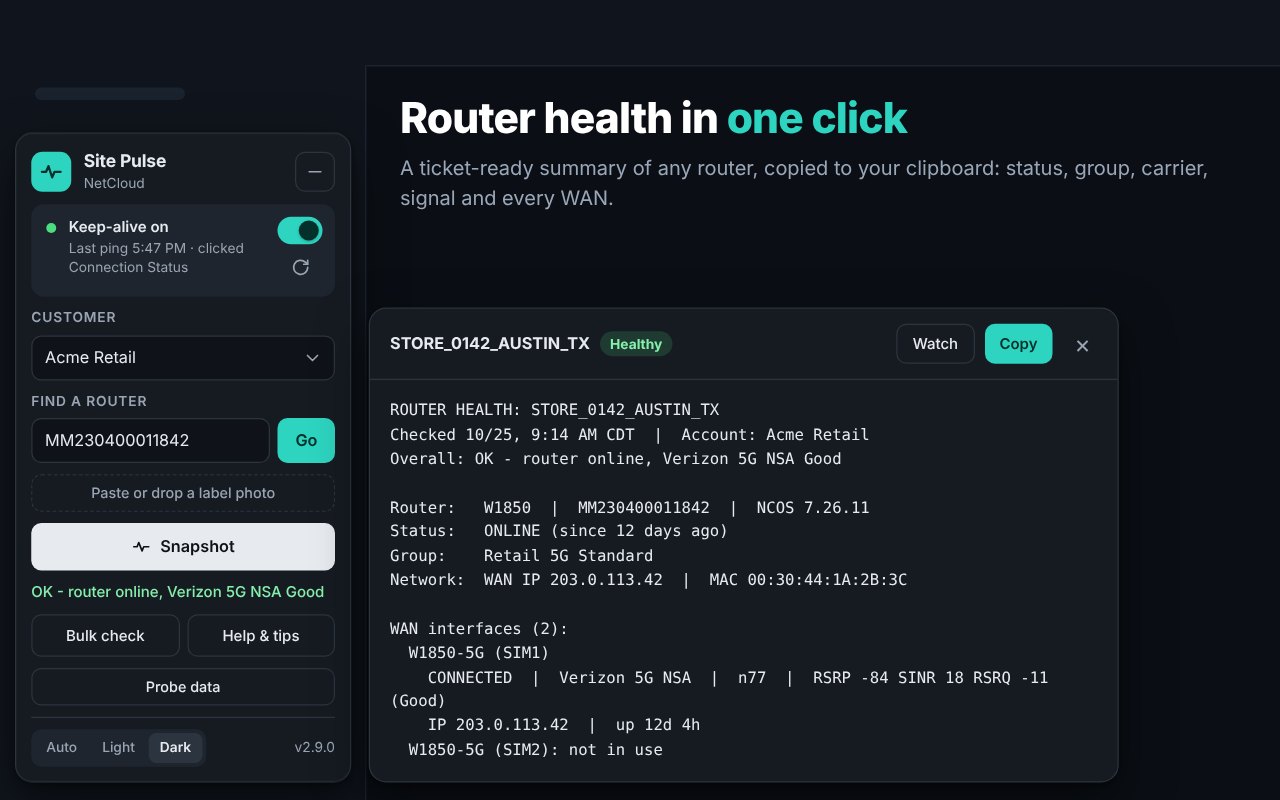
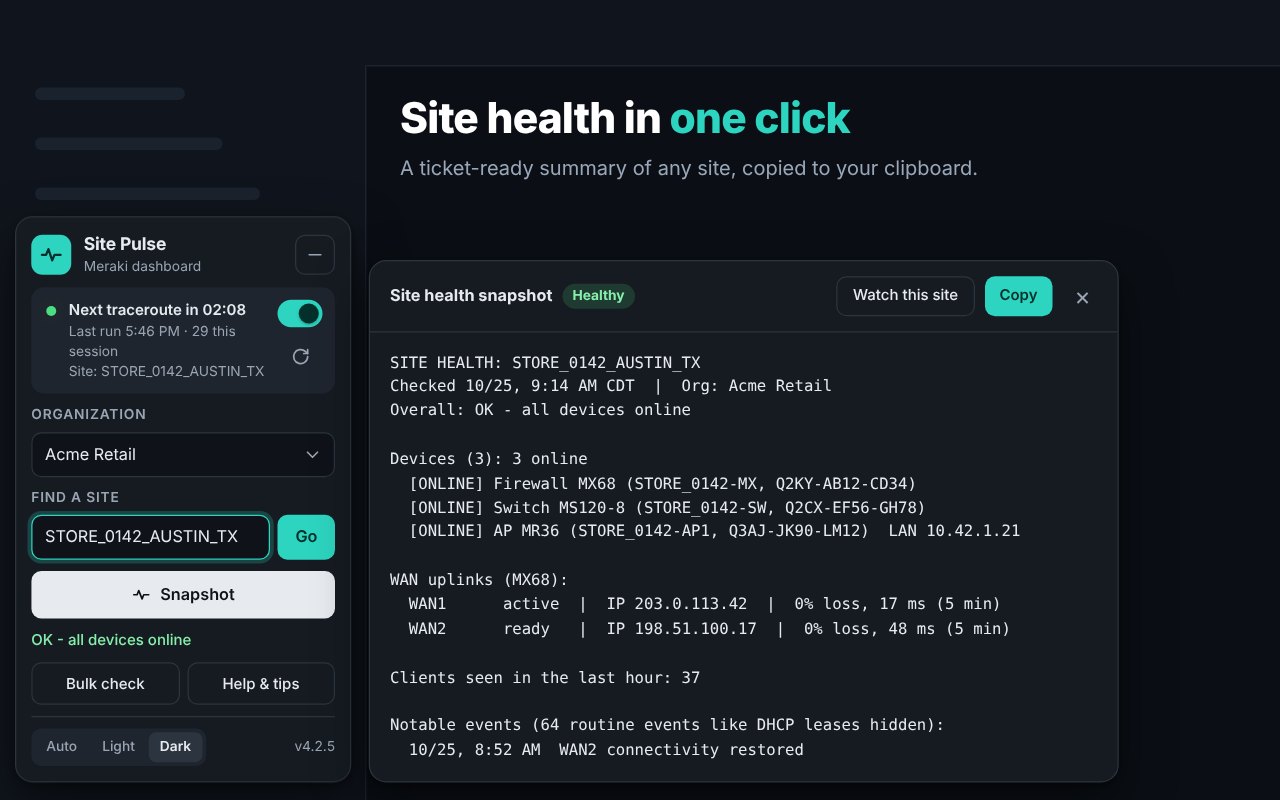
A ticket-ready health summary, already on your clipboard. Paste it straight into the ticket.
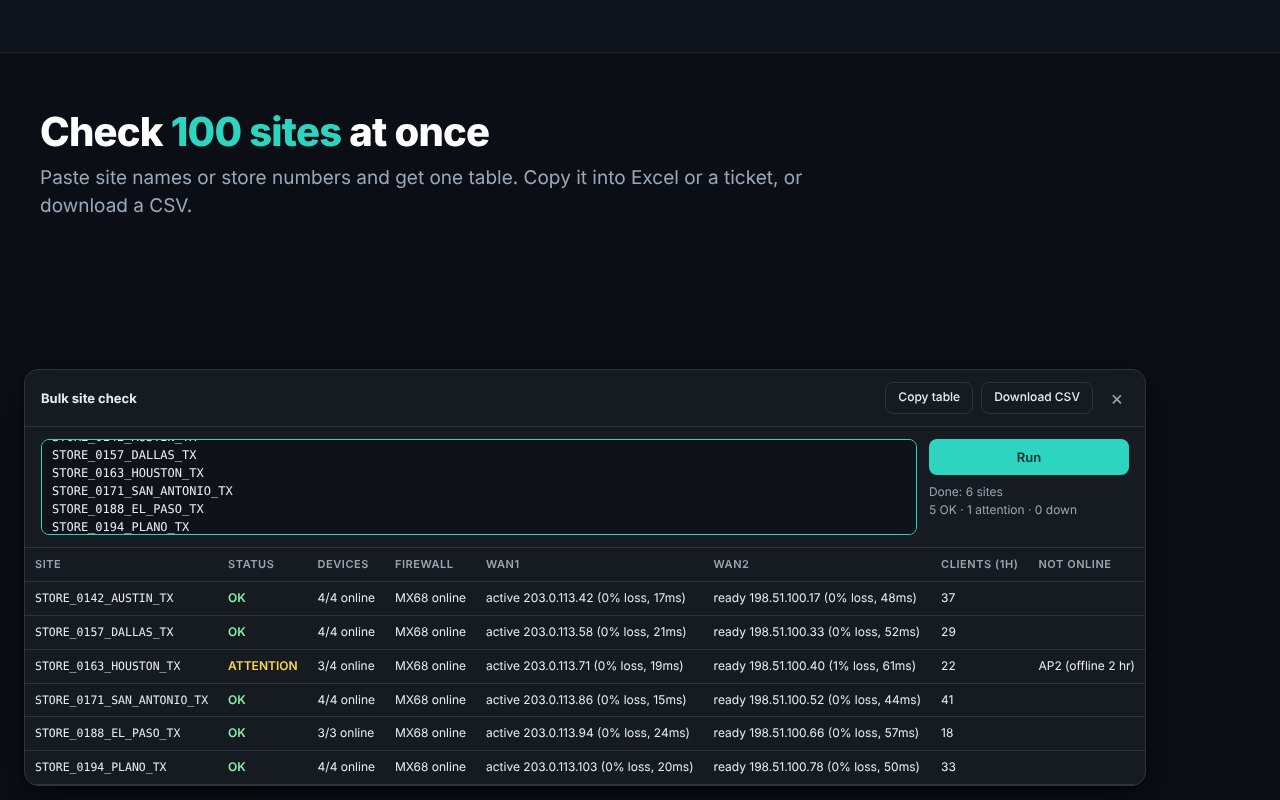
Paste a list of sites or routers and get one status table. Copy it or download a CSV.
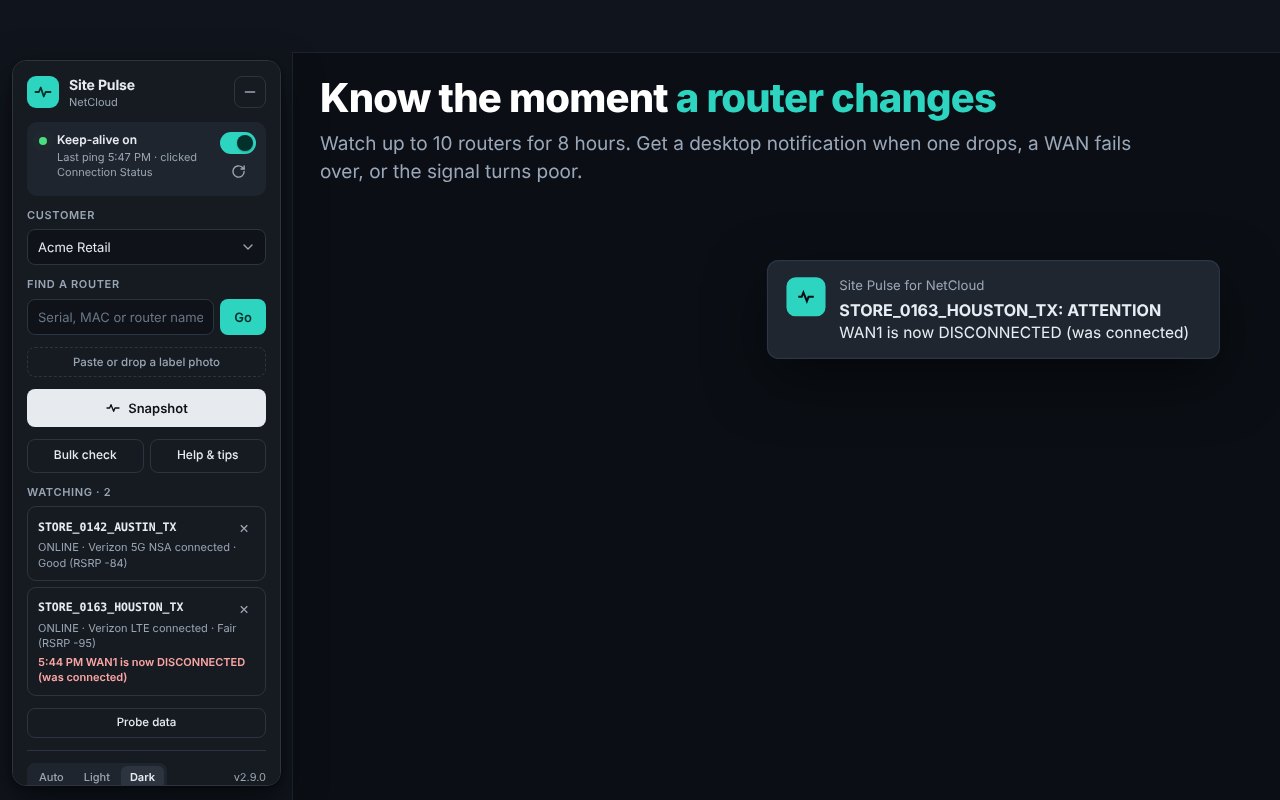
Desktop alerts when a device goes offline, a WAN fails over, or signal turns poor. Great during installs.
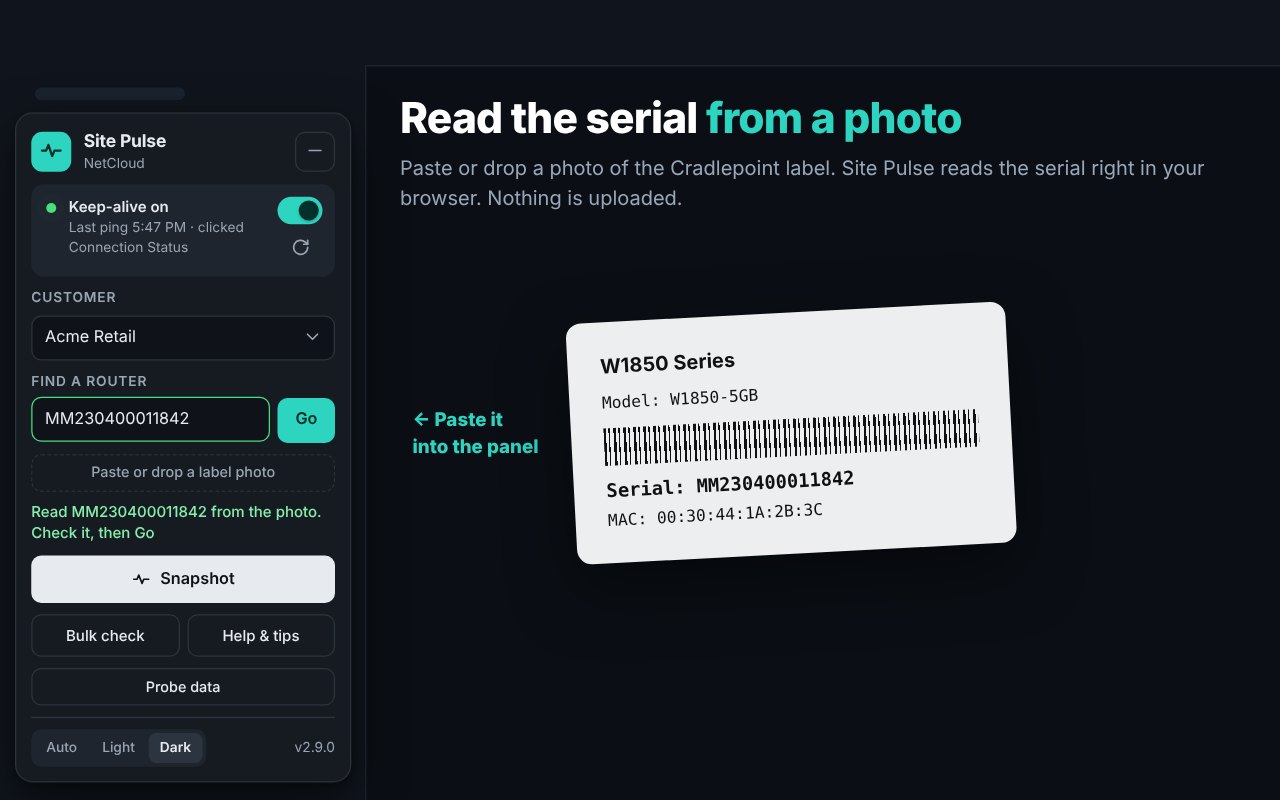
Paste a photo of the router label and the serial is filled in. Read in your browser, never uploaded.
For techs whose org signs them out after a few idle minutes. Off until you turn it on, stops after 10 hours.
Screenshots use made-up sites so no customer data is shown.
Full details are in the privacy policy.
Snapshots, bulk checks and watches only read data. Nothing changes a setting or reboots a device.
Uses the session already in your browser. No API keys, no passwords, and it sees only what your account can.
No analytics, no tracking. Nothing is sent to Suretek or anyone else.
Yes. Both extensions are free on the Chrome Web Store.
Chrome and other Chromium browsers that install from the Chrome Web Store, such as Microsoft Edge and Brave, on Windows and macOS.
It's for techs whose organization signs them out after a few idle minutes. On Meraki it runs a traceroute to 8.8.8.8 from the firewall's Tools page every 5 minutes; on NetCloud it adds light page activity every 4 minutes. It's off until you turn it on and stops after 10 hours. The idle sign-out is your organization's security setting, so only use the keep-alive where your admins allow it. Site Pulse is provided "as is", and you use the keep-alive at your own risk.
Usually the computer went to sleep, the 10 hours were up, or your organization has a maximum session length. Signing in to a second Meraki account in the same browser also replaces the first login, so use a separate Chrome profile for a second account.
Email sureteksolutions@gmail.com. The panel's Copy diagnostics button gives us what we need to help quickly.
Site Pulse is a taste of what we do. Suretek builds custom automation for network operations, ticketing and back-office work.
Talk to us about automationSite Pulse is made by Suretek Automation Works and is not affiliated with, endorsed by or sponsored by Cisco Systems, Inc. or Ericsson. Cisco and Meraki are trademarks of Cisco Systems, Inc. NetCloud and Cradlepoint are trademarks of their respective owners.